.webp)


Identifying AC Capacitor Failure Symptoms During Your Fall Heating Startup
Why is your fall heating blowing cold? See what causes this and use our home maintenance tips and troubleshooting to know when to call a pro.
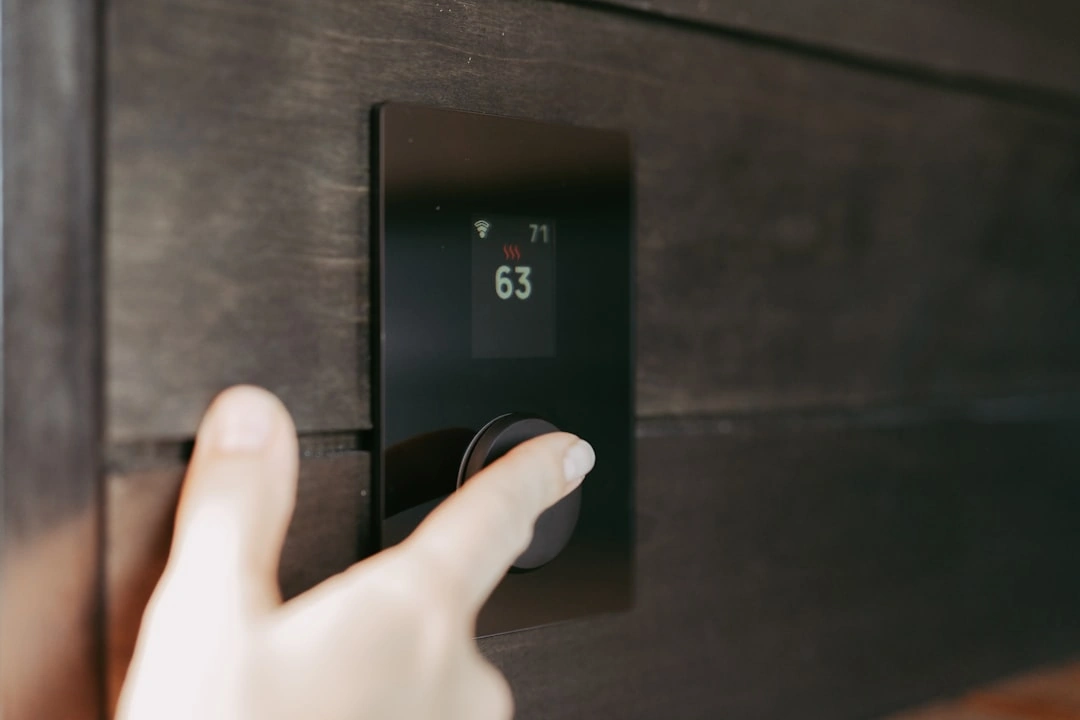
How to check your thermostat before calling for repair is something every homeowner in Modesto, CA should know — because the fix is often simpler than you think. If your heating or cooling suddenly stops working, your first instinct might be to assume the worst. But in many cases, the HVAC system itself is fine. The thermostat — the small device controlling the whole system — is the real culprit.
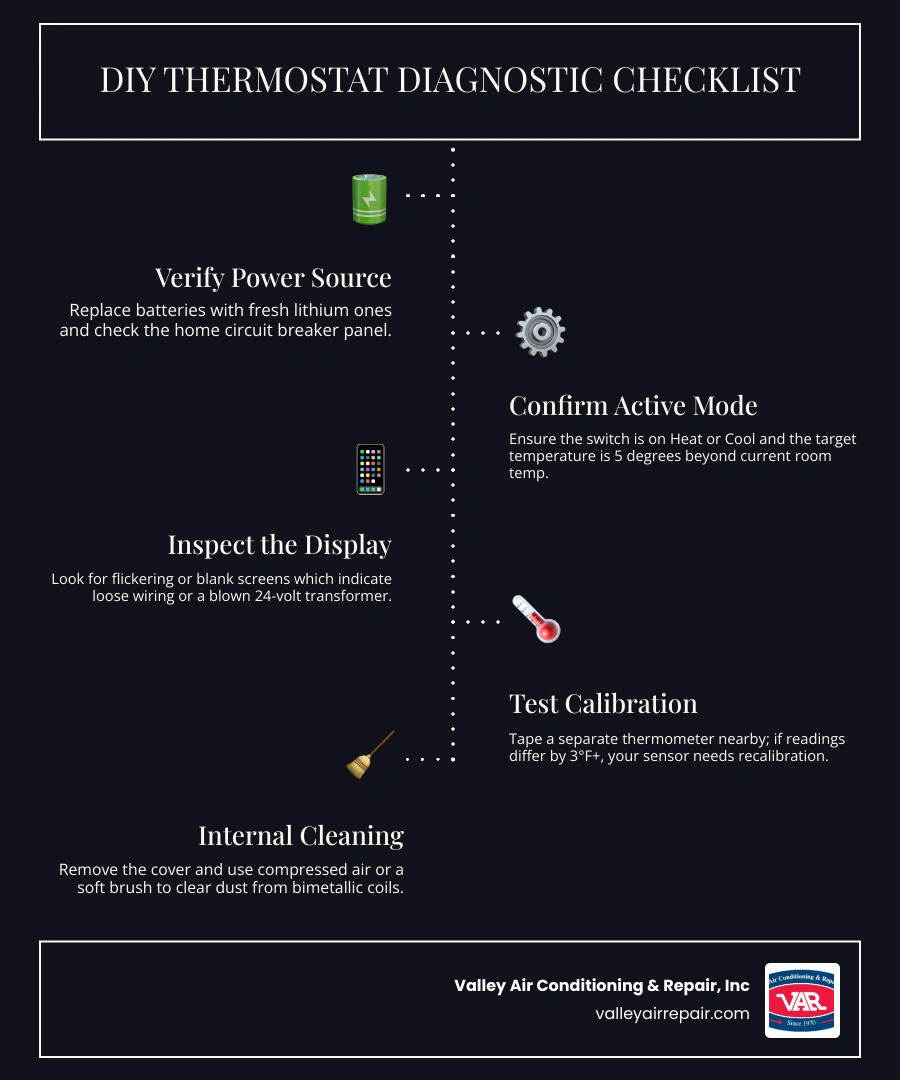
Here is a quick checklist to run through before picking up the phone:
Most thermostats last around 10 to 15 years, and even a small 2°F sensor error can cause your system to run longer than it should — quietly driving up your energy bills without any obvious warning signs. The good news is that several of the most common thermostat problems are things you can check yourself in under 30 minutes, without any special tools.
This guide walks you through exactly how to do that — so you can either fix the problem yourself or know for certain that it is time to call a professional.
When your home in Ceres or Turlock starts feeling like a "polar parlor" in the winter or a sauna in the summer, the thermostat is the first place we recommend looking. Think of the thermostat as the "brain" of your home’s comfort system. When the brain isn't communicating clearly with the rest of the body (your furnace or AC), things go haywire.
One of the most frustrating signs is short-cycling. This is when your HVAC system turns on, runs for just a few minutes, and then shuts off without ever reaching the temperature you set. While this can sometimes be caused by a dirty air filter, a faulty thermostat sensor is often the culprit. Other obvious red flags include an unresponsive display that doesn't react when you touch the buttons or a system that simply refuses to start at all.
For a deeper look into the different types of controls available today, you can explore our guide on Thermostats & Smart Controls.
As we move through 2026, even the most advanced digital sensors can experience what we call "calibration drift." This happens when the internal sensor loses its accuracy over time. If your thermostat says it is 72°F but you are shivering in your living room, you likely have a temperature mismatch. In the HVAC industry, we consider a variance of more than 3°F to be a sign that the unit needs recalibration or replacement. For every degree your thermostat is off, your heating or cooling costs can rise by as much as 5% to 10%.
Sometimes the problem isn't the software, but the power supply. Flickering screens or a thermostat that suddenly "forgets" its programmed settings after a few hours are classic signs of power interruptions. This could be due to loose wiring or a failing 24-volt transformer. If your screen is completely blank, it’s a clear signal that the low-voltage circuit has been broken somewhere along the line.
In the Central Valley, our HVAC systems work incredibly hard. Whether it’s a triple-digit afternoon in Fresno or a foggy, freezing morning in Kerman, we rely on these systems for safety and comfort. Before you assume you need a major mechanical repair, performing a few DIY diagnostics can save you a lot of time.
The most common "fix" we see is also the simplest: the batteries. We recommend using high-quality lithium batteries rather than standard alkaline ones. Lithium batteries provide a more consistent voltage, which is vital for the small relays inside the thermostat to click open and shut.
If your batteries are fresh but the unit is still dead, head to your electrical panel. Look for a tripped circuit breaker. That the thermostat's power often comes from the same breaker as your indoor furnace or air handler, not the outdoor AC unit. If you find a tripped breaker, flip it all the way to "Off" and then back to "On." If it trips again immediately, stop and call us—that indicates a more serious electrical fault.
For those who have recently upgraded to high-tech models, our Smart Thermostat Setup guide offers specific tips for Wi-Fi-enabled units.
It sounds simple, but we’ve seen many "broken" systems that were actually just set to the wrong mode. Ensure the switch is firmly set to "Heat" or "Cool." Sometimes, a family member might have bumped it to "Off" or "Fan Only."
We also suggest using the 5-Degree Rule. To test if the thermostat is actually sending a signal, move the temperature setting at least 5 degrees past the current room temperature. If you want heat, crank it up 5 degrees higher than the room currently is. You should hear a distinct "click" from the thermostat, followed shortly by the sound of your equipment kicking on.
If you suspect your thermostat is lying to you, perform a comparison test. Tape a reliable digital thermometer to the wall right next to your thermostat. It is important to wait at least 15 to 20 minutes for both devices to stabilize to the wall's temperature.
If the two readings differ by more than 3°F, your thermostat is likely out of calibration. On older manual models, this might require a small adjustment to a calibration screw. On modern digital models, you can often go into the "Advanced Settings" menu to set a "Temperature Offset" to bring the reading back to reality.
If the software and power checks pass, it’s time to look under the hood. Most thermostat covers can be removed by gently pulling them away from the wall or releasing a small clip at the bottom.
Dust is the enemy of accuracy. Household lint, pet hair, and dust can coat the internal sensors, essentially "insulating" them from the actual air temperature in the room. Use a soft brush or a can of compressed air to gently blow out any debris. If you have an older mechanical thermostat with metal contact points, a cotton swab with a tiny bit of electronic contact cleaner can remove oxidation that might be preventing a solid electrical connection.
Once the cover is off, you’ll see several small, colored wires connected to terminals (labeled R, W, Y, G, C, etc.). Use a small screwdriver to ensure each wire is snug in its terminal. In our humid California winters or dusty summers, these copper wires can sometimes oxidize or become brittle. If a wire looks corroded or "burnt," it won't be able to carry the 24-volt signal your HVAC system needs to start.
| Thermostat Type | Average Lifespan | Primary Failure Point |
|---|---|---|
| Mechanical (Manual) | 15–20 Years | Leveling & Dust |
| Programmable | 10–12 Years | Relay Failure |
| Smart / Wi-Fi | 10 Years | Software/Wi-Fi Chips |
Sometimes, the thermostat is doing its job perfectly, but the HVAC unit itself has a problem. If the thermostat says "Heat On" or "Cooling," but nothing is happening, the issue has moved downstream.
Listen closely when you adjust the thermostat. If you hear the thermostat "click" but the furnace doesn't ignite or the AC compressor doesn't hum, the problem might be a blown fuse on the furnace control board, a clogged condensate drain line, or a failed capacitor in the outdoor unit. If the air is blowing but it isn't the right temperature, you might be dealing with a refrigerant leak or a dirty evaporator coil.
We love an empowered homeowner, but safety must come first. You should stop your DIY efforts and call a professional immediately if you notice:
Most digital and smart thermostats have a lifespan of about 10 to 12 years. While they don't have as many moving parts as old mercury switches, their internal circuitry and relays eventually wear out. If your unit is over a decade old and acting erratically, replacement is usually more cost-effective than repair.
If new batteries don't bring the screen back to life, the system has likely hit a "safety lockout." Many modern HVAC systems in Clovis and Reedley have safety switches that cut power to the thermostat if the drain pan is overflowing or if the furnace has overheated. It could also be a blown low-voltage fuse inside the furnace cabinet.
Absolutely. A clogged filter restricts airflow, causing the furnace to hit its "high-limit switch" and shut down prematurely. This looks exactly like a thermostat "short-cycling" the system. Always check your filter—it should be white and clean enough to see light through. If it's gray or black, replace it before assuming the thermostat is broken.
At Valley Air Conditioning & Repair, Inc., we’ve been serving "the Valley" since 1970. Our growth has been built on trust and honorable intentions, which is why we want you to have the knowledge to fix the small things yourself. If you’ve gone through this guide and your home in Madera, Sanger, or Selma is still not reaching the comfort level you deserve, we are here to help.
Whether you need a quick sensor recalibration or a full system diagnostic, our expert technicians are just a phone call away. We pride ourselves on a customer-first philosophy that ensures you get the right fix the first time.
Ready to restore comfort to your home? Explore our Air Conditioning Services or give us a call today!

As a business with many AC units, it is essential to have a responsive AC company. Valley Air Conditioning understands our needs. They are always responsive and our AC is up and running very quickly.
I had them do an AC check on the home I was buying, they were honest and quick. I hired them to do the summer and Fall maintenance for $149. Happy with this company!
100% recommend. I called, same day they came out and gave me estimate. Conley was honest and didn't try to recommend/sell us anything we didn't need. When I called him with questions before making a decision, he happily answered and was not annoyed by me contacting him. Conley and VAR
This is a group of good people. Very professional and knowledgeable. They take the time to listen and find the best solution that fits best for any situation. There's no way you can go wrong in choosing VAR.
We have used Valley Air for over fifteen years. The last two years ,Matt came to our house to service twice a year. Always on time, so polite and so professional. This is a very honest company and you can always depend on them and trust them. The office always treats everyone cheerfully and always want to do what you need done very fast YOU CAN COUNT ON THIS Company